Prerequisites
The following properties must be defined for a given institution in grip-assets:
urlNamebundle_identifier(note: platform specific bundle identifiers can be used by defining aproperties.jsonfile under the appropriate platform directory [Android/iOS])
A Google Cloud Project must exist with the following requirements:
It’s name must match the
urlNamepropertyIt must have the firebase management api enabled and be properly linked to the firebase management service account
Running the firebase configuration workflow
When successfully run, this workflow will do all of the following:
Create a firebase project linked to the google cloud project
Add an appropriately configured Android app to the firebase project
Add an appropriately configured iOS app to the firebase project
Enable and configure firebase analytics for the project
Retrieve the
google-services.jsonand theGoogleService-Info.plistconfiguration filesOpen a pull request against grip-assets to add the configuration files
When the workflow is run for any institution, it will work through each of the above steps and simply skip any that are already done. This allows us to handle failures at any point in the process and effectively just resume the configuration process from wherever the previous run made it to. If an institution was already completely configured then it will simply not be included in the PR against grip-assets because there will be no changes.
Options for running
The firebase configuration workflow can be run against one of the pre-defined groups [QA, Beta, Live], or you can specify the group “specific_institutions” to provide a custom list of institution ids.
If the “NO_OVERWRITE” option is checked, the workflow will simply skip any institution that already has configuration files present in grip-assets. This exists to allow for periodically generating configs for any and all institutions that may have been added to a group (and retrying failures easily).
Potential errors
No available firebase project - when this occurs the likely culprits are that we have a
urlNamemismatch with the cloud project, or something is not correctly set up with the service account. Either of those can cause us to not find the project as being available for firebase creation.429 rate limiting - If running a really large set of institutions all at once, our api access will likely start getting rate limited. The program does some waiting between requests to lessen this, but it will still eventually happen with a large set. The best solution here is to just re-run the workflow for any institutions that fail.
Analytics accounts exhausted, add more! - This error means that we need to add more analytics accounts. Each analytics account supports up to 50 firebase projects being associated with it. The program will loop through all the analytics accounts it knows about to try find one that works for a project, but if they are all exhausted we will need to add more.
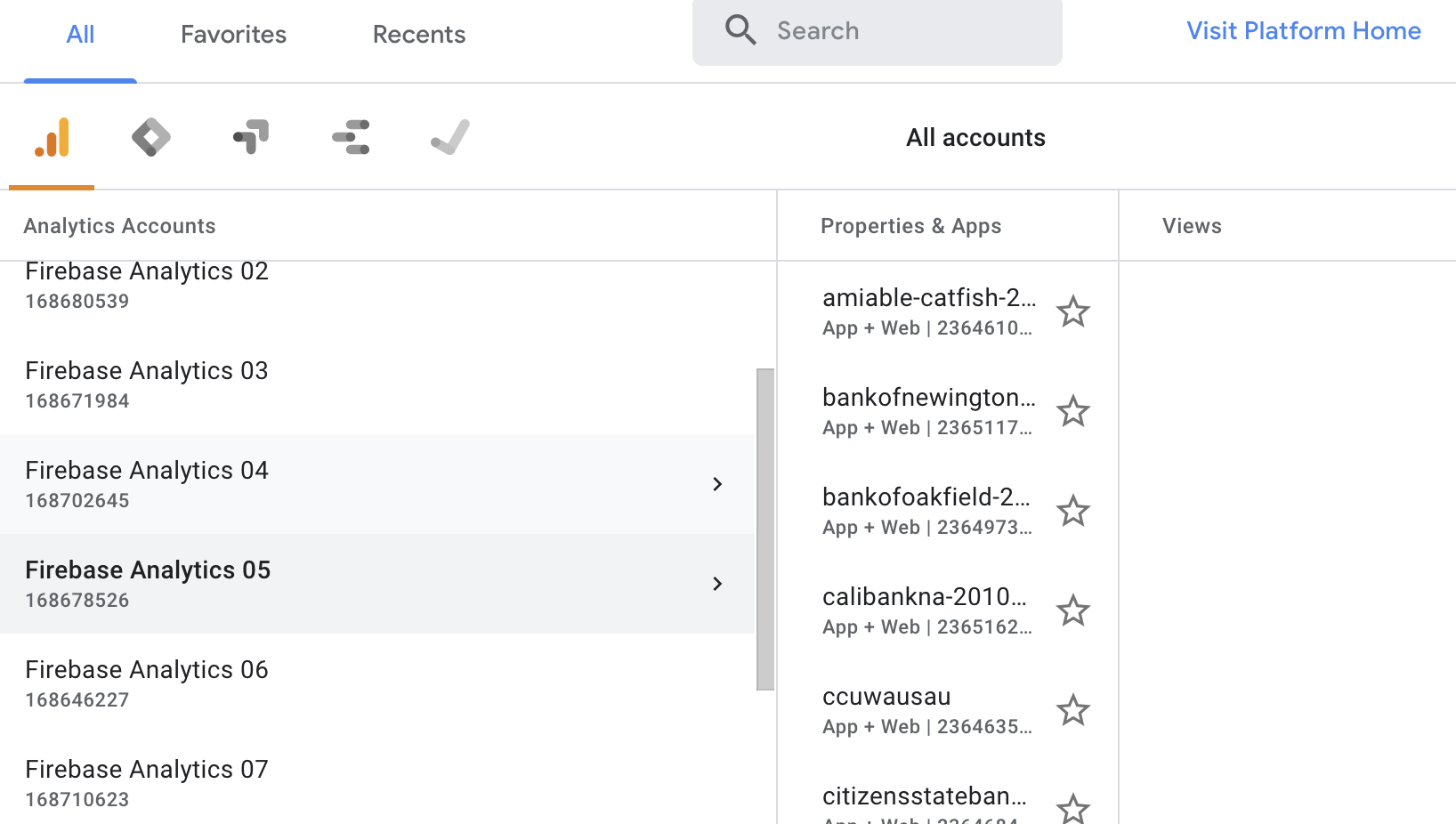
When we need more accounts, simply create new ones with the appropriate numerical identifier
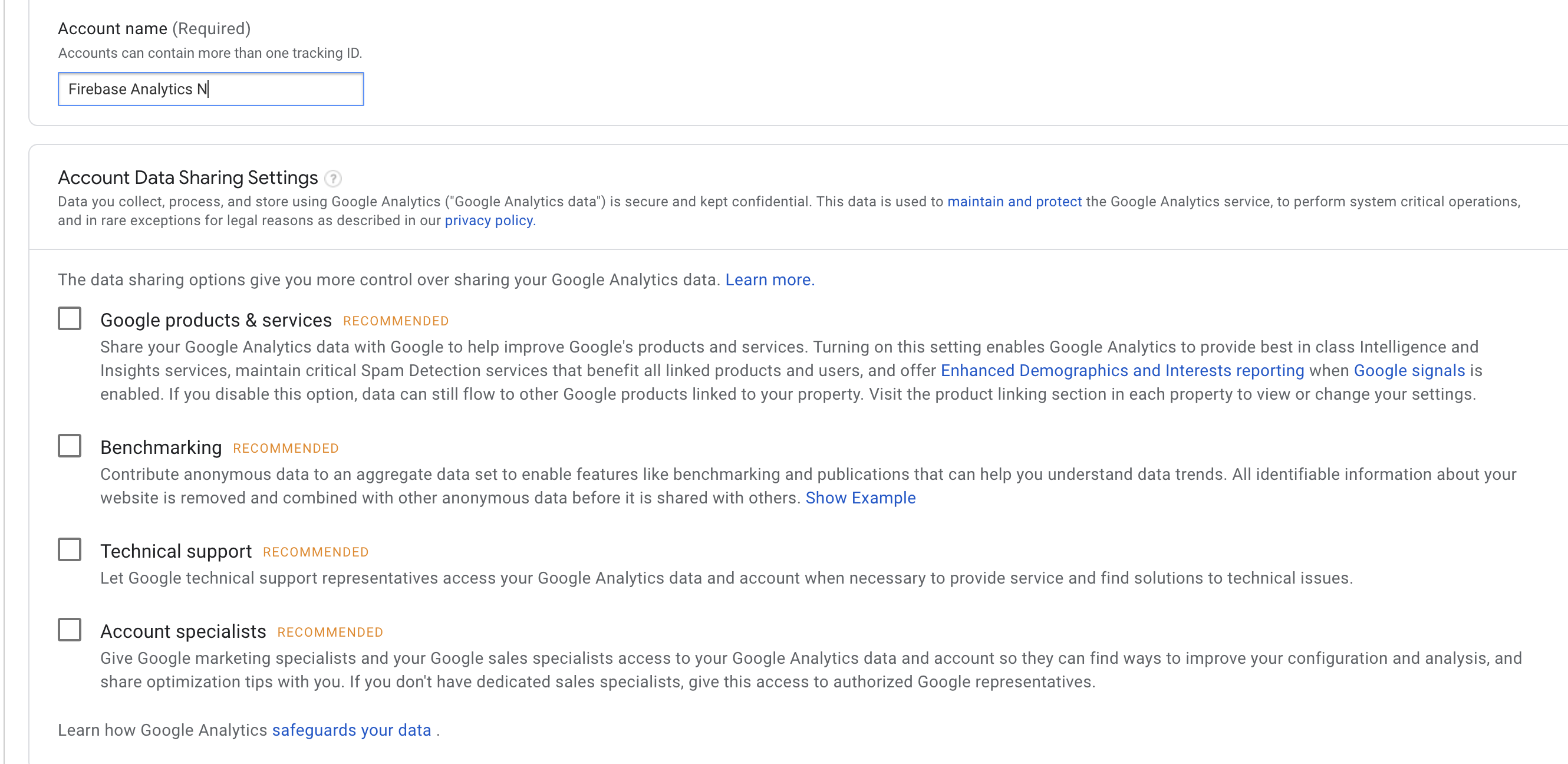
Ensure that the firebase service account is added to the Account User Management section using it’s email address

Newly added accounts need to have their ids added to the application here
- Please reach out to the Android team for any troubleshooting help you may need
Copying FCM values into grip-assets
Once a firebase project has been created for a given institution, the FCM server key and sender id values must be retrieved from the Firebase console and copied into the properties.json file in grip-assets. These values are found under the Cloud Messaging section of the Firebase Project’s Settings page
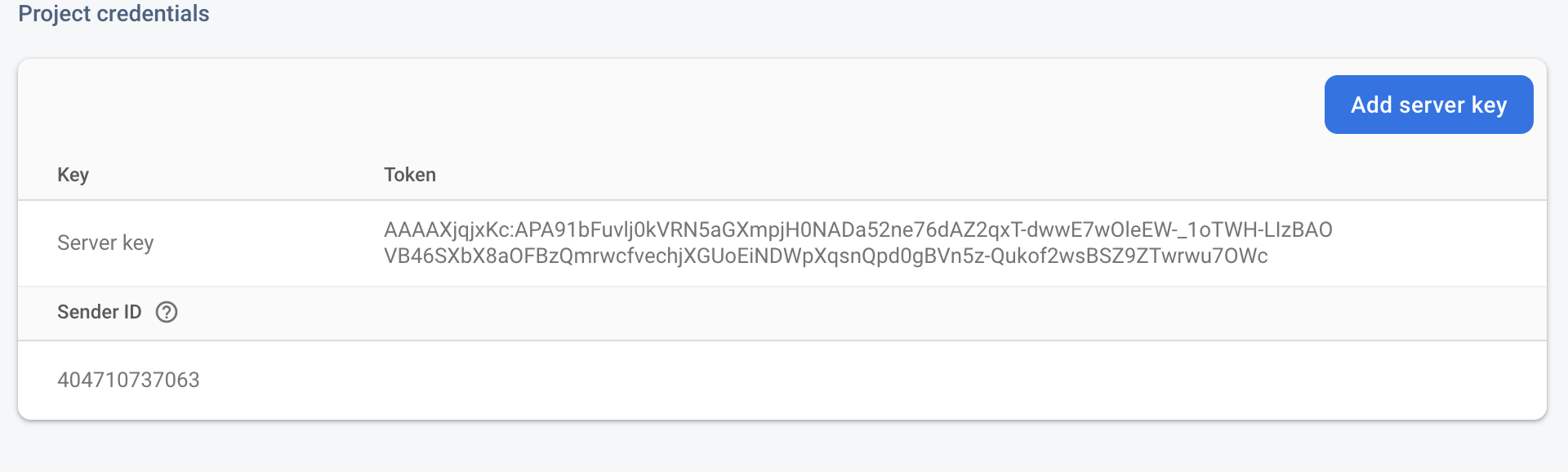
Once these values are present in grip-assets, we can run the update script created by Dreamwork to upload the values to One Signal. This must happen for notifications to work correctly in the Android app. These values have to be manually copied because they are unavailable for retrieval through the Firebase Management API.
Future improvements
More robust rate limiting handling. Working around the rate limiting was done by just putting arbitrary waits between requests to try get through our initial migration of existing apps. The program could be improved with more graceful handling of the 429s with smart backoffs, etc.
Automating the creation of the google cloud projects themselves. Some of the api documentation suggests there may be a way to accomplish this, but it was definitely not a priority for our initial work. This part has always just been done manually, but automating this could be useful down the road.
Automating the pulling of the FCM sender id and server key values. Google’s firebase management api does not support any way to retrieve these values. For our large, one-time migration of institutions we utilized some screen scraping techniques locally to facilitate pulling these values, but it wasn’t done in a way that was usable as a general solution going forward. Some kind of web automation or scraping technique could definitely be utilized to pull these values from the firebase console and into grip-assets, but it was less of a priority for our initial phase of work.