Happy holidays, everyone! I know what you all wanted: one last documentation update to wrap up the year. And who are we to say no? We made some pretty cool changes to the Knowledge Base recently, so let’s dive right in.
Banno Knowledge internal docs
We’ve been hard at work making the internal doc functionality of Banno Knowledge a lot more user-friendly over the last couple weeks. For those of you that are into video walkthroughs, we’ve got you covered. If you prefer text and maybe an image or two, read on.
New links to How-to guides
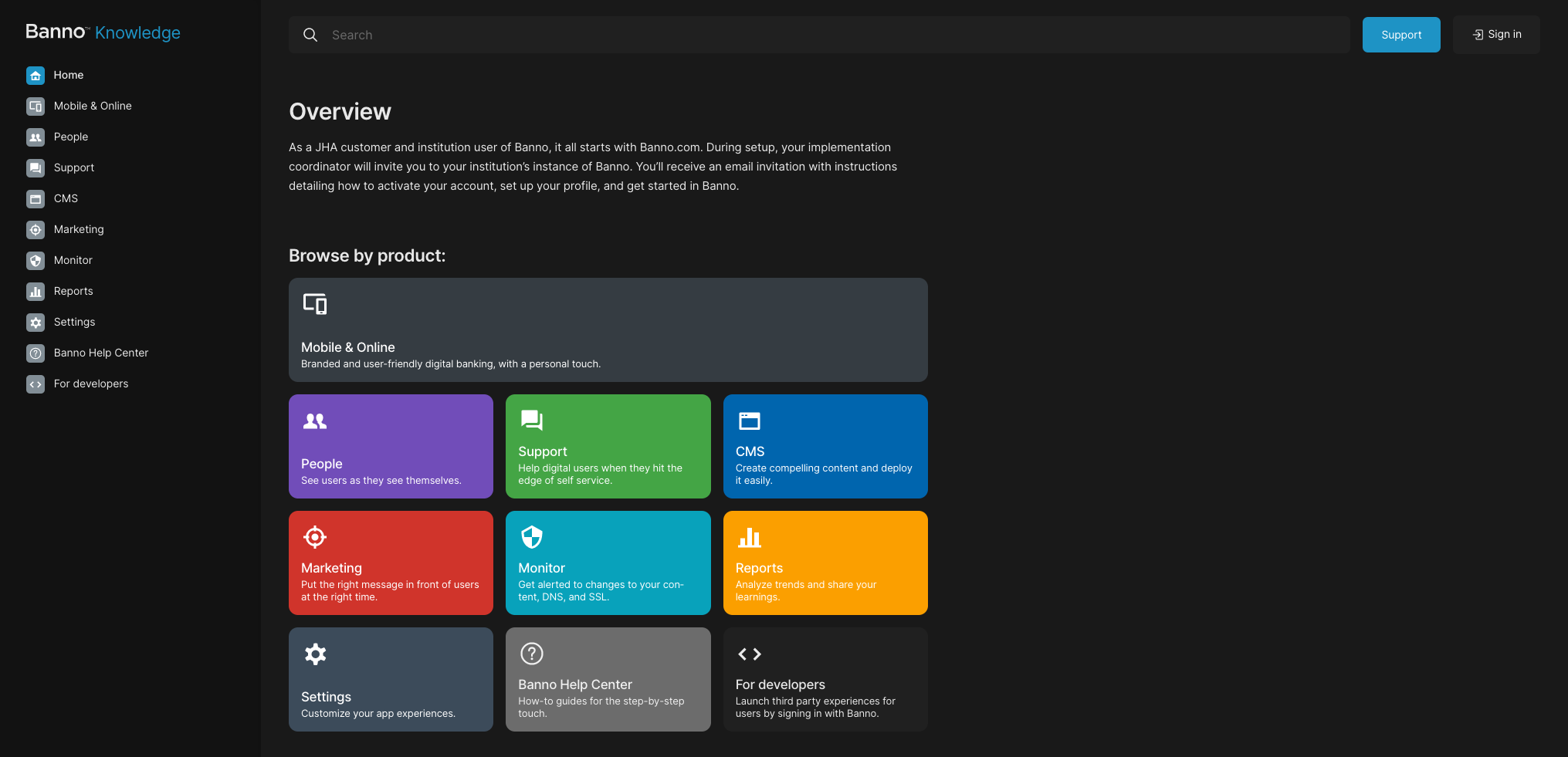
We’ve added links to the Banno How-to guides to both the front page and the side nav. These are in addition to the specific how-to links in each page of the Knowledge Base, with the aim of uniting all of our documentation sources into one URL. Long term, we’ll be pulling these how-to guides into Banno Knowledge more fully, but this will bridge the gap.
Internal docs landing
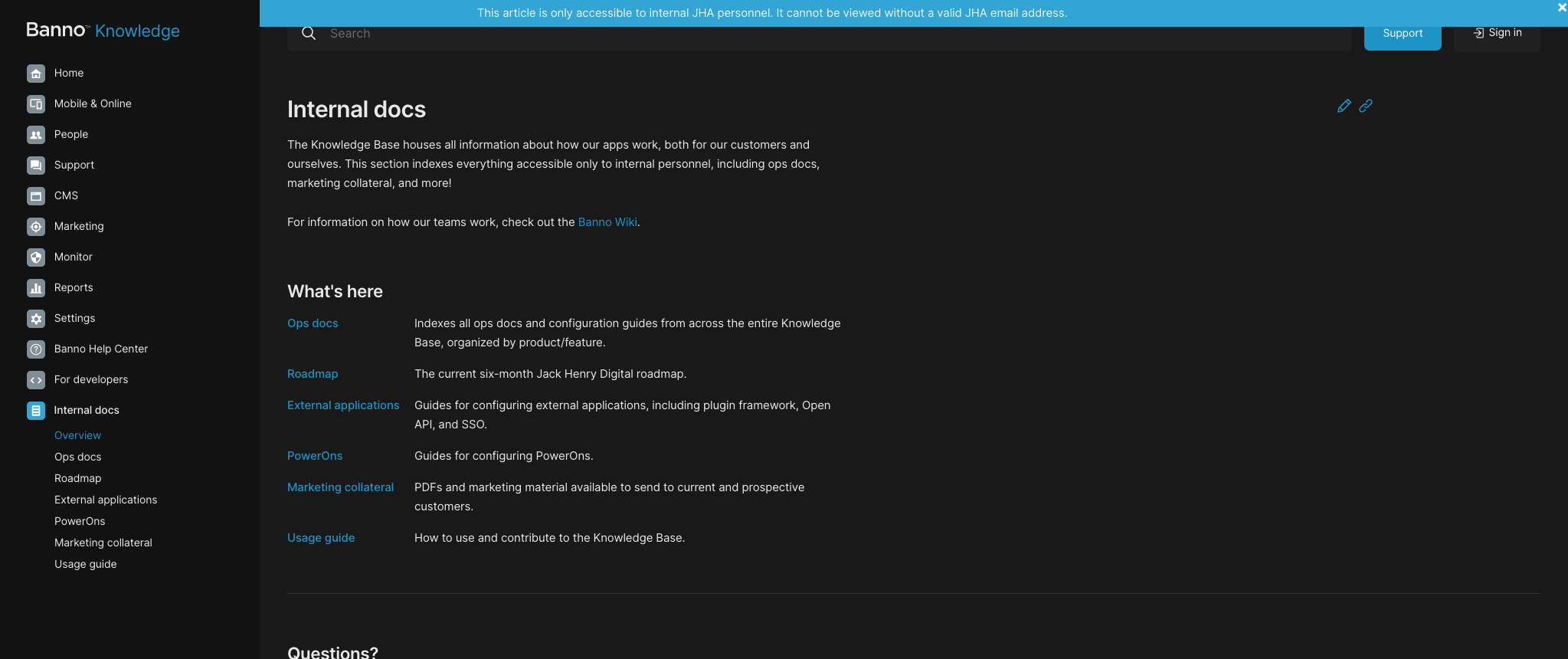
The biggest part of this update is a restructure of all of our internal docs. Located where operations used to live on the internal site, this landing provides a place to index every type of internal doc on Banno Knowledge, as well as links to other internal resources like the wiki. Ops docs of all kinds, the current roadmap, all marketing collateral, and more now live under the same umbrella and we can easily add new sections as needed with no additional backend work. We’re prepared for whatever you need for the future!
You’ll also notice a nice little banner letting you know you’re on an internal-only page. Those are automatically generated for all pages that do not have a public equivalent, which leads us to some cool new functionality.
Cool new functionality
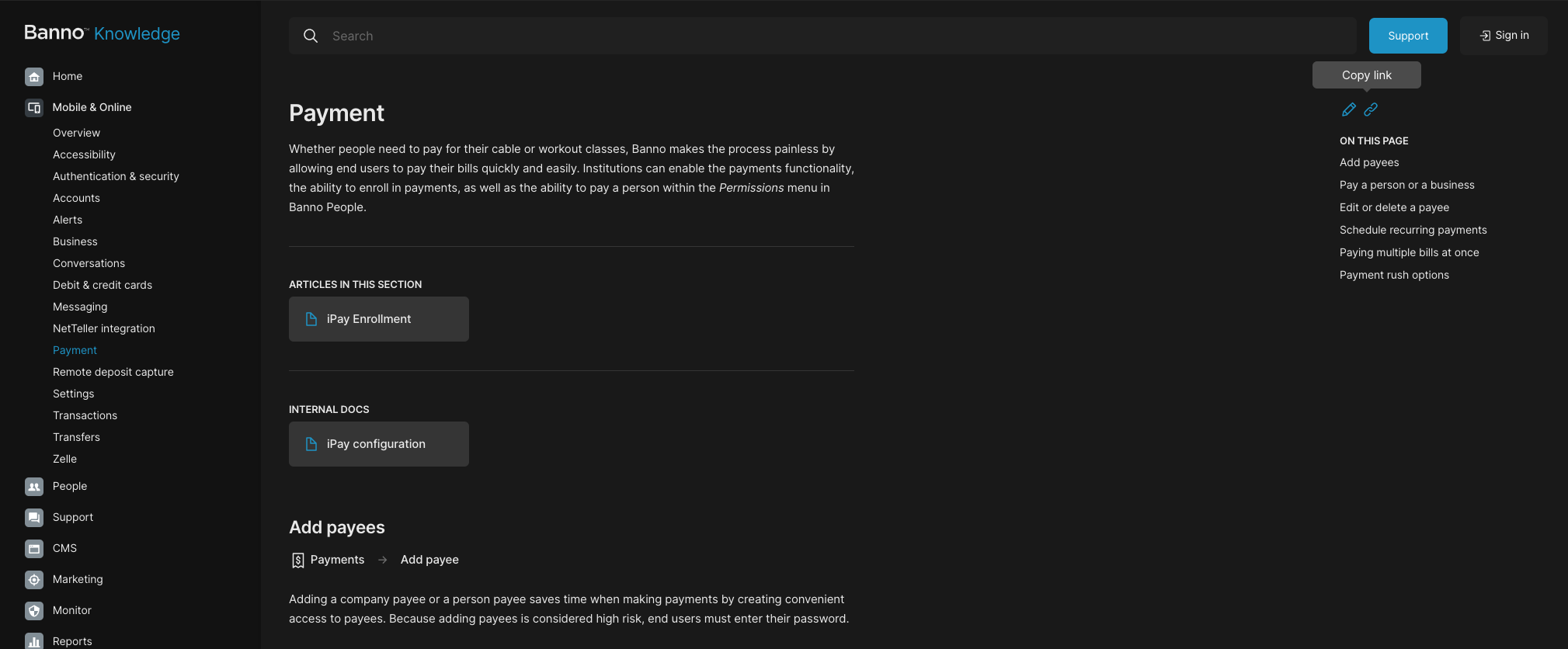
In addition to letting you know when you can’t share a page outside our group, we’ve added icons for available page actions on the right hand nav. Right now, edit will always appear on the internal version of the Knowledge Base, taking you into the github edit screen for any quick corrections or updates you’d like to make on your own.
The copy link button, on the other hand, is a little more neat. Click that, and it’ll copy a link to your current page on the clipboard. But if you’re on the internal version of the site, it’s a little bit smarter than that. When you click that on a doc that is customer facing (IE, not an internal doc or an ops doc), it’ll copy the customer-facing link, regardless of which version of the site you’re on. Find a useful page that answers a customer’s question? You can simply click Copy link and you’re good to share!
Why we did this
As we’ve been working with internal docs, working to port in every random floating Google Doc or PDF, we found a handful of needs that weren’t being met. We landed on this redesign to solve the following needs:
- Bridge information and communication gaps between teams as it relates to assisting end users and customers.
- Guide internal users to existing information within the Knowledge Base (or elsewhere).
- Organizes documentation for easy and accessible viewing.
- Futureproofing! The new layout is easily extendable, meaning if we need to store a new type of doc, it’s incredibly simple and will usually require no programming work. Even for projects that do require some extra lifting on the web side, this layout will make it super easy to index.
What this section isn’t:
- A place for duplicate information or to add to a team’s work. It’s meant to house documentation that make your job and others jobs easier–not harder. It may take some work upfront to document, but once recorded, it should be smooth sailing! Ex. If documentation is in ForClients, it’s best to leave it or move it. Having docs in two spots is no bueno, but we can and should sometimes direct users from multiple places to their final destination.
- Final. It’s ever-changing and growing. And we love it that way. It’s for you to utilize, so let us know how the Knowledge Base can help you save time and frustration with clear, consistent, and correct documentation.
Monthly Schedule
As always, we’ve got epics that cover documentation of shipping features we plan to cover in Banno Knowledge. If you think anything is missing from these lists, let us know!
Recently completed
In addition to the internal docs rework, we’ve gotten plenty of other docs completed and deployed in the last month. Here are a few highlights:
- Full customer-facing docs for Offline mode!
- Updates to 2FA customer communication guidelines.
- Ipay Enrollment, including mobile enrollment - Full updates to our payments documentation, including info on enrollment.
- Banno Marketing updates to outline the new Ad Gallery.
- Banno Support updates - Additional detail around conversations and forms in Support, including more info on email notifications
- Operations onboarding updates - Updates to the wiki pages for the operations team, most prominently instructions for setting up and using DBeaver.
- Additional troubleshooting info for External applications and Plugin card docs
- As always, a ton of Ops Docs, including
- Synergent check images
- Preferred name
- OpenAnywhere SSO
- NuDetect
- Enterprise permissions
- For a full list, see the Ops docs page!
Anything else?
As always, if you’d like to see any documentation work done, throw us a service desk request, tag a post with the :documentation-team: reaction, or just give us a holler in #org-documentation! Whether you need new docs, an edit, or have a suggestion as to how we can improve what we’re putting out, we’d love to hear from ya!
We hope you all have a wonderful holiday!