1 Hour Quotes
- Logo Update
- Make sure to get logo file is in either a .svg .png or .eps file format.
- The logo would have to be in relatively the same size and format that the former one was. For example, if they are going from a landscape-oriented logo to a portrait-oriented logo, we are going to have to rework the layout a bit to make it fit. In addition to this, the logo might need to be changed in the footer and the microsite adding more time. So only quote 1 hour if it is a similar size swap out in one place. Quote 2 hours for a similar size swap out in several places. For additional dev work, it would need to be given a custom quote.
- Add New Category
- Adding a new category is only an hour if there is no reorganization of pages involved. Also, if this is going to be a new main navigation option, there might be more time involved to make the new nav button fit properly. So be sure to only quote an hour for those new categories that do not come to a dev to do anything additional. For additional dev work, it would need to be given a custom quote. They also wanted me to let you know that a category should never be fully deleted.
- Adding an alert bar to the homepage
- Adding an alert bar to a homepage has lots of stipulations that could make it be more than 1 hour. For one, we don’t want to do these anymore because of Core Web Vitals, right? So, these should be done as modals now. Additionally, if they have a sticky header or want the alert to go somewhere other than at the very top, there could be more time involved. Also, if their site is old, we would have to use more time to get this working properly. We think it would be best to have this be a custom quote.
- Add Captcha to a form
- If a client asks for Captcha, be sure to inform them of the fact that can trigger ADA issues.
- Adding Captcha to a form would only be 1 hour if it is not the type that goes in a modal. For a modal one, you would need to ask for a custom quote.
- New Template with embedded 3rd party script (if no other template changes requested)
- New template with embedded 3rd party script would only be an hour if the third-party script does not “break” the CMS or their site does not have CSP in place. If either of those cases are true, then there would need to be more time added. Also, all these Zelle request are taking 2-4 hours. Be sure to use that quote for any of those. So, we could start with 1 hour for just pasting in script (2-4 hours for a Zelle request) and then go from there. If we hit any snags, we could let you know? Or perhaps we can work on a list of “problem” scripts to add here in the future.
- Banno CMS Training with Emily
- Banno Marketing Training with Lucas (website only)
- Updating URLs (in login areas, social media icons, footer)
- CSP (Content Security Policy) - allowlisting 3rd party codes
- Allowing new URLs to an existing CSP is 1 hour
- Setting up a new policy would be 2-4 hours
- Slider Changes
- Adding or Removing a slide from an existing slideshow.
- Making a slider area be static instead of a slideshow
- To make a static slider into a slideshow will require a Quote Request with Dev
- Updating form dropdowns
2 Hour Quotes
- Simple Form
- 10 fields or less, no logic
- Zelle HTML setup. Even if they are a Jack Henry Resource partner, they are opting to not use the link or iframe provided to them by they Jack Henry Resource Department.
4 Hour Quotes
- Zip Code Filter Template
- The 4 hours covers the scripting of adding the zips and programming the various results, which are all going to end up going to one of two paths, Page A or Page B.
- Examples:
- Any new login code from Fiserv
Flat Fees
- Members Only Setup
- 2-4 hours
- This would include implementation and the new login page template.
- Example of login page: https://www.accessbank.com/members-login
- Rates Setup (Treasury)
- $500, includes ‘turning on’ rate area and setup of 2 markets
- Additional market setups billed hourly
- $500, includes ‘turning on’ rate area and setup of 2 markets
- Rates Component - https://alabaster.cms.banno-staging.com/ - See rates on homepage and link to view all rates - $1500
- Testimonials Component - $750 - https://alabaster.cms.banno-staging.com/ - See “What our customers are saying… section”
- Take a Tour Component - $1,000 – No example as this usually is only up for a little bit when a new site launches. It points out some of the changes to help people navigate around.
- Product Comparison – Card Layout Component - $1,000 – https://horizonfinancialbank.cms.banno-staging.com/personal/personal-checking
- Locations Setup (ATM/Branch Finder) - $2,000 fee
- Jira setup and development work
- Branches Component (Individual pages for locations)- $1500 - https://alabaster.cms.banno-staging.com/branch
- FAQ Component - $1500 - https://alabaster.cms.banno-staging.com/faq
- Our Team Component (more info opens in modal) - $1500 (base price) - https://www.fnbimk.com/downtown click contact for anyone
- Our Team Component (more info opens in individual profile page) - $1500 (base price) + $1000 (additional for individual profile page template setup) - https://www.tompkinsfinancialadvisors.com/leadership-team
- News/Resource Center Component - $2000 - https://alabaster.cms.banno-staging.com/news
- Blogs* (All blogs require a discovery call.)
When a client asks for a blog, first determine if it is a showcase or custom site:
- If it is showcase, first determine if it is a newer showcase (Alabaster->Marigold) https://banno.com/website-showcase/.
- If it one of the newer showcase themes, they can be offered the $3,000 component pricing. See notes for Option 2 below.
- If it is an older showcase, not one of those named themes, they will have to be quoted. See notes for Option 3 below.
- If it is custom, first determine what version of bootstrap they have. You can ask the devs in #org-content-website-updates what version of bootstrap the site is.
- If it is bootstrap 4 or later, they can be offered the $4500 custom blog component pricing. This is what we refer to as Dynamic Blog all the time. See notes for Option 1 below.
- If it is older than bootstrap 4, they will have to be quoted. See notes for Option 3 below.
Here are our three “Blog” options:
- Option 1. Only for newer sites built in BS4 and up: Dynamic Blog-$4500
- Option 2. Only for newer showcases themes Alabaster through Marigold: Showcase Blog component-$3000
- Option 3. All other sites: Quote out what they are looking for.
Option 1: Dynamic Blog “Out of the Box” - $4500
- Only custom sites built with Bootstrap 4 and up are eligible (a dev can quickly check a site’s BS version)
- Not allowed on any Showcase sites
- Functionality is preset, any requests for different or extra functionality must be discussed and quoted
- A designer (one of ours, no third party) must do mockups
- Comes with Articles Landing layout and Article layout via a button in the CMS
- Articles are automatically populated on the Landing layout
- There is also date sorting, search, an articles archive, and featured post
- Requires a learning curve for the client and instructions for them on how to create posts and update the Articles Landing page
- Dev turnaround time: 10-14 business days
- Examples: https://www.embers.org/blog/embers-news ; https://garden-fi.cms.banno-staging.com/blog
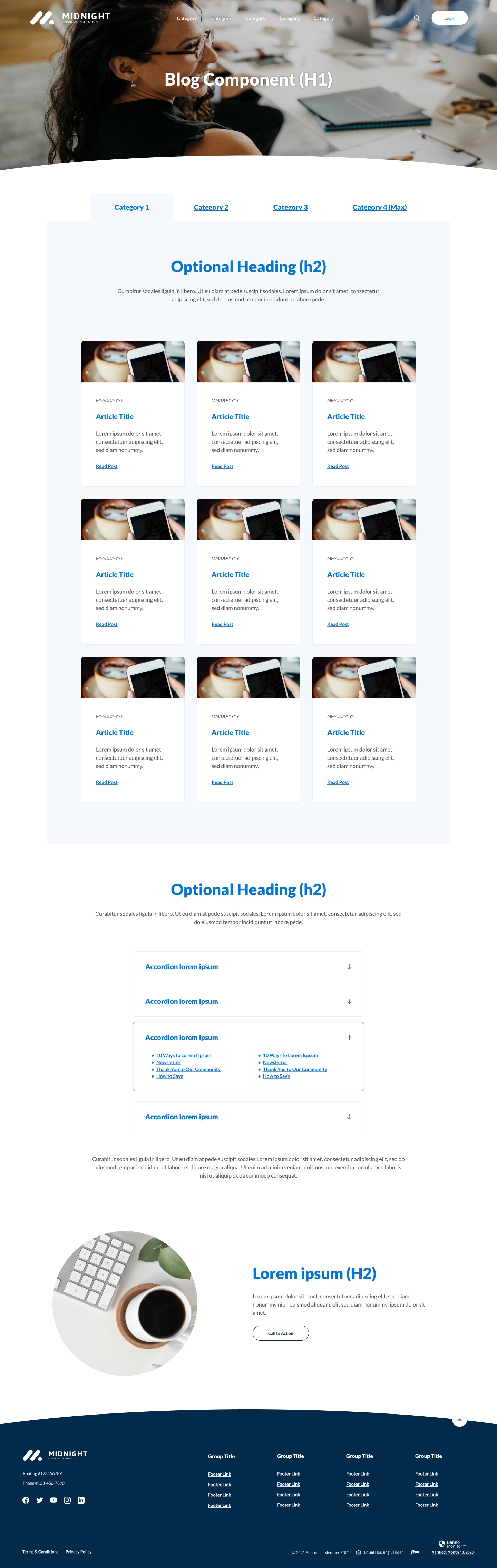
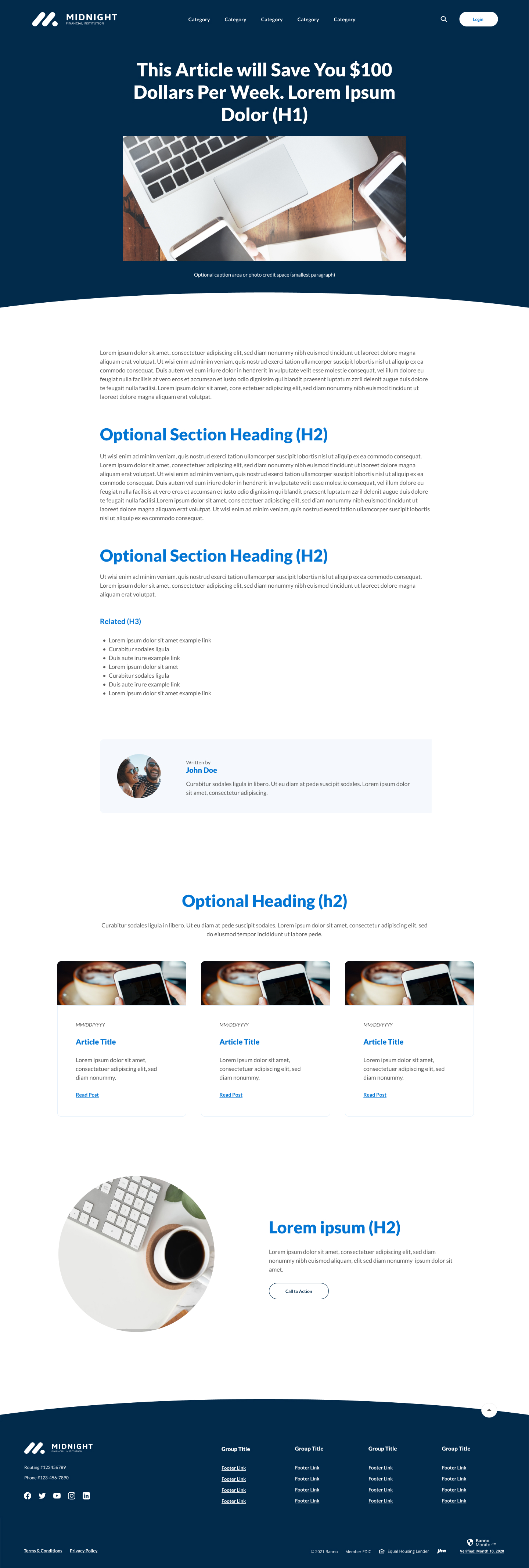
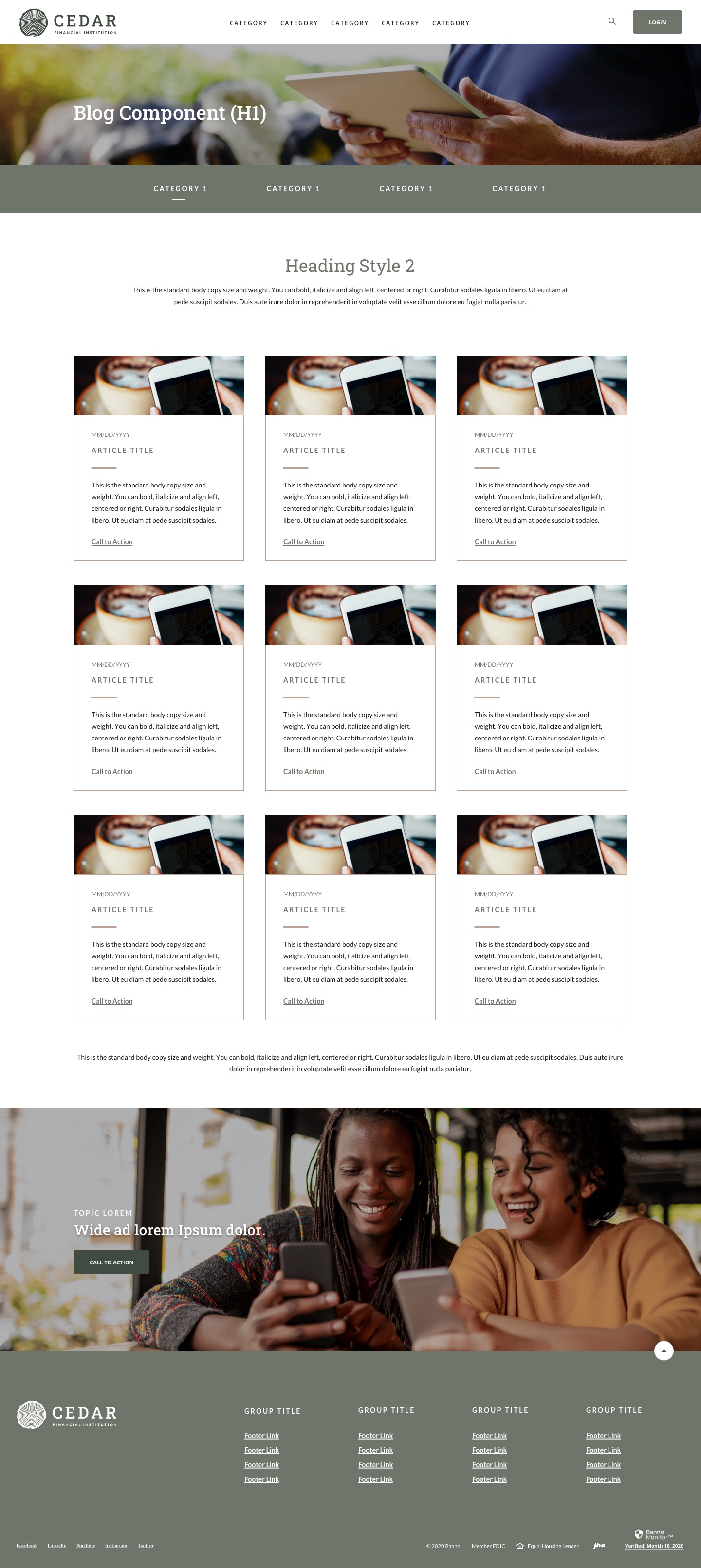
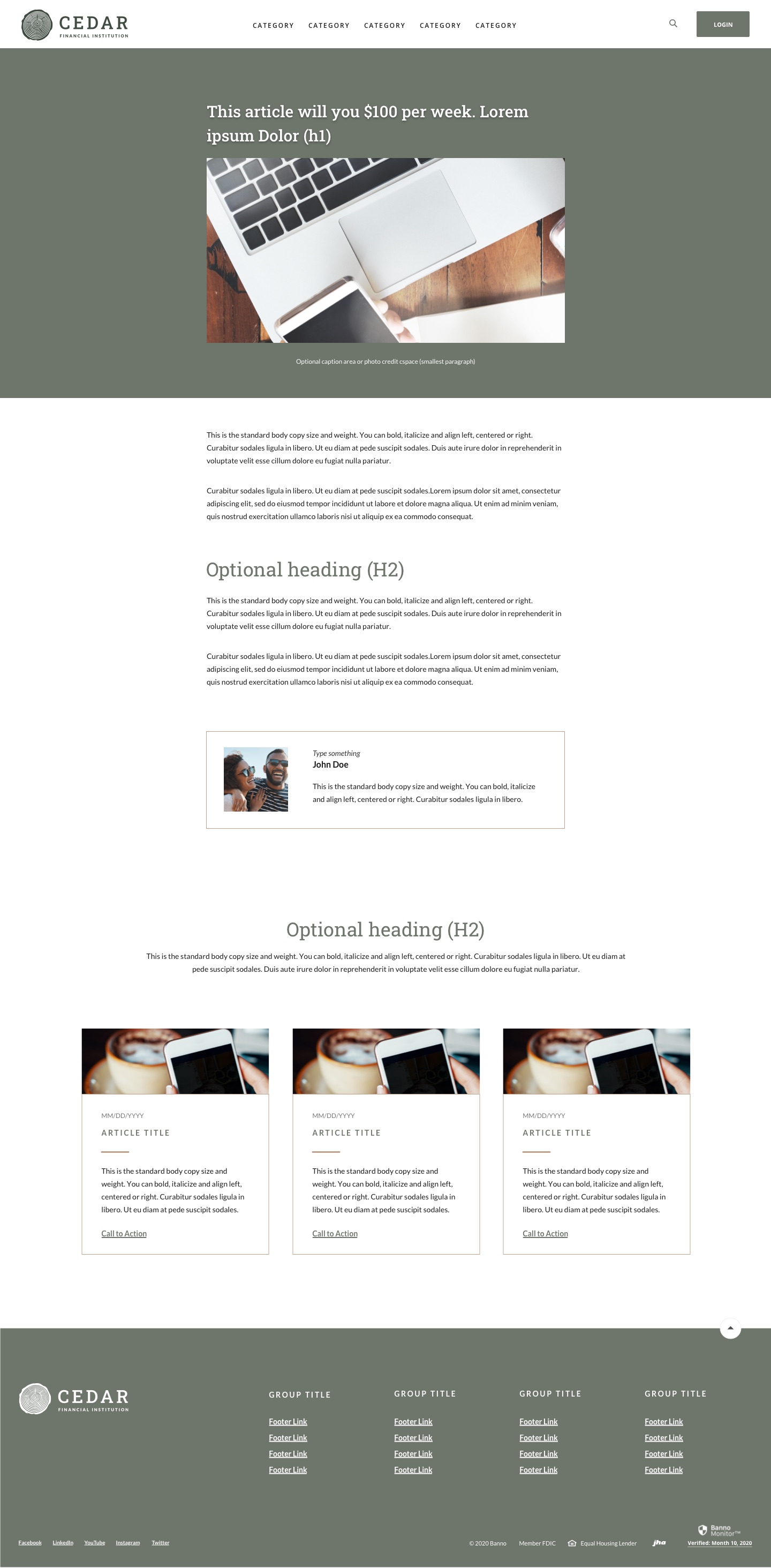
Option 2: New Showcases (Alabaster -> Marigold) Blog Component “Out of the Box”- $3000
- Only for new Showcases (example: https://www.kfshomeloan.com/learning-center/blog)
- Examples can also be seen here for each Showcase theme: https://banno.com/website-showcase/
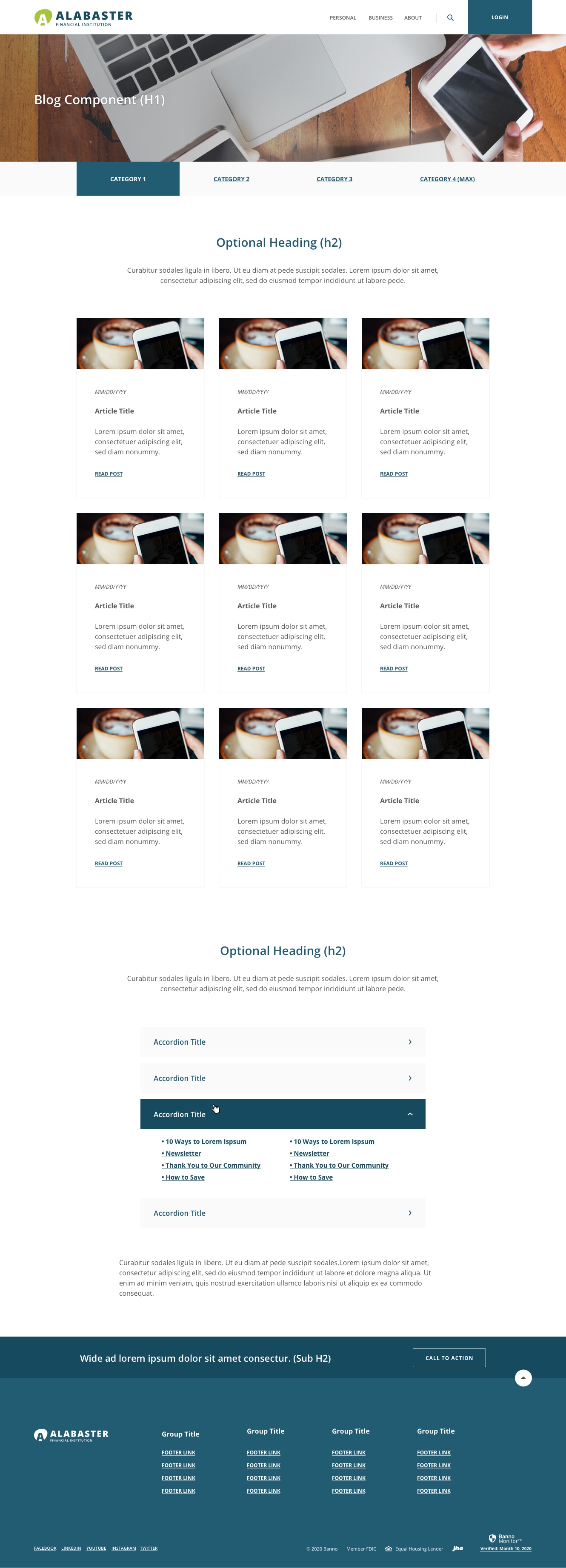
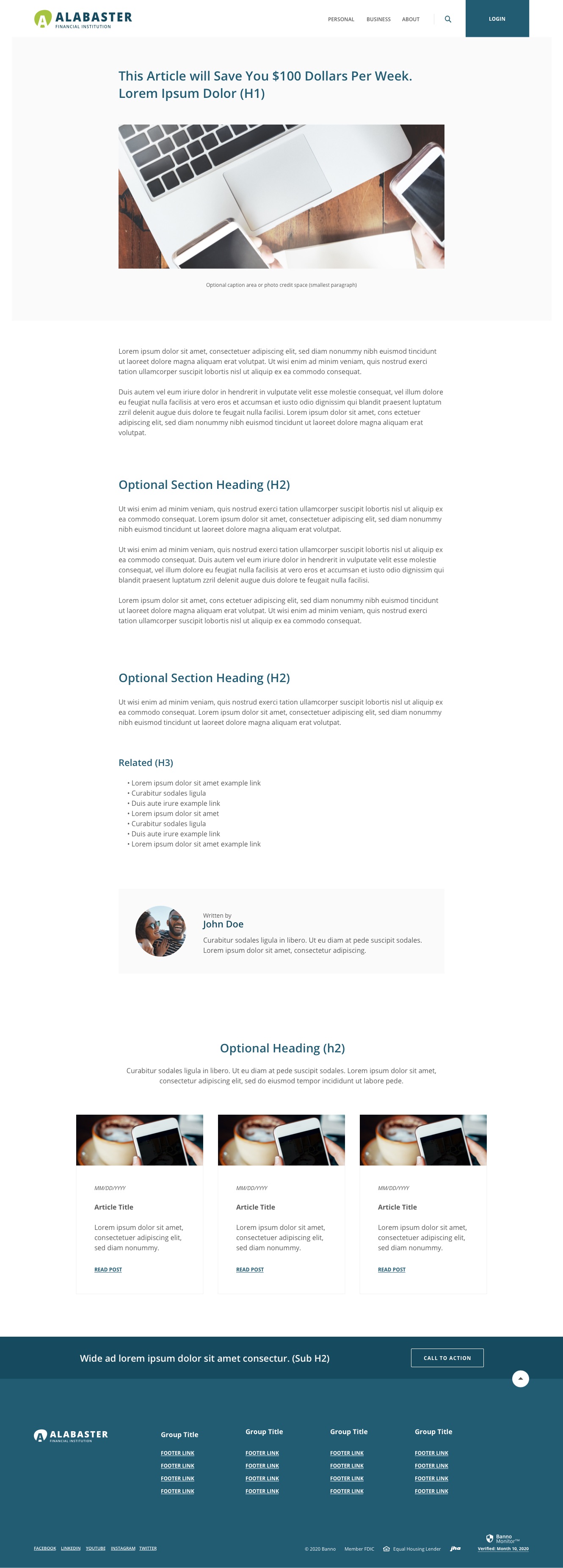
- For example, here’s what the Blog Component looks like in Alabaster: http://review.banno.com/alabaster/images/sub-blog.jpg http://review.banno.com/alabaster/images/sub-article.jpg
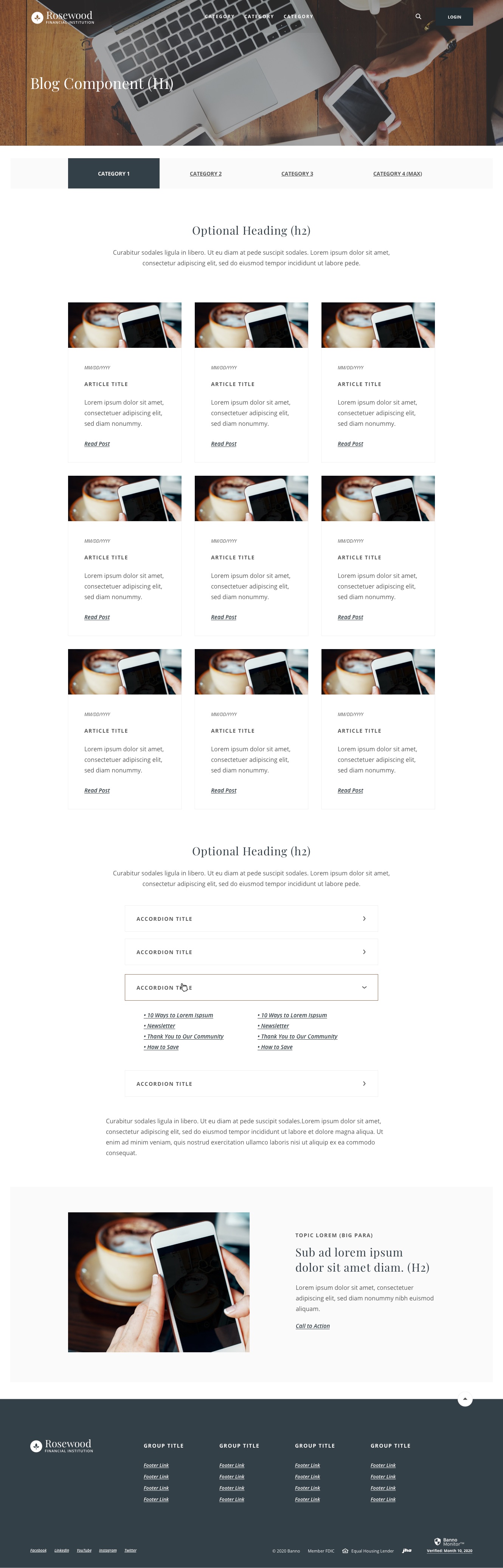
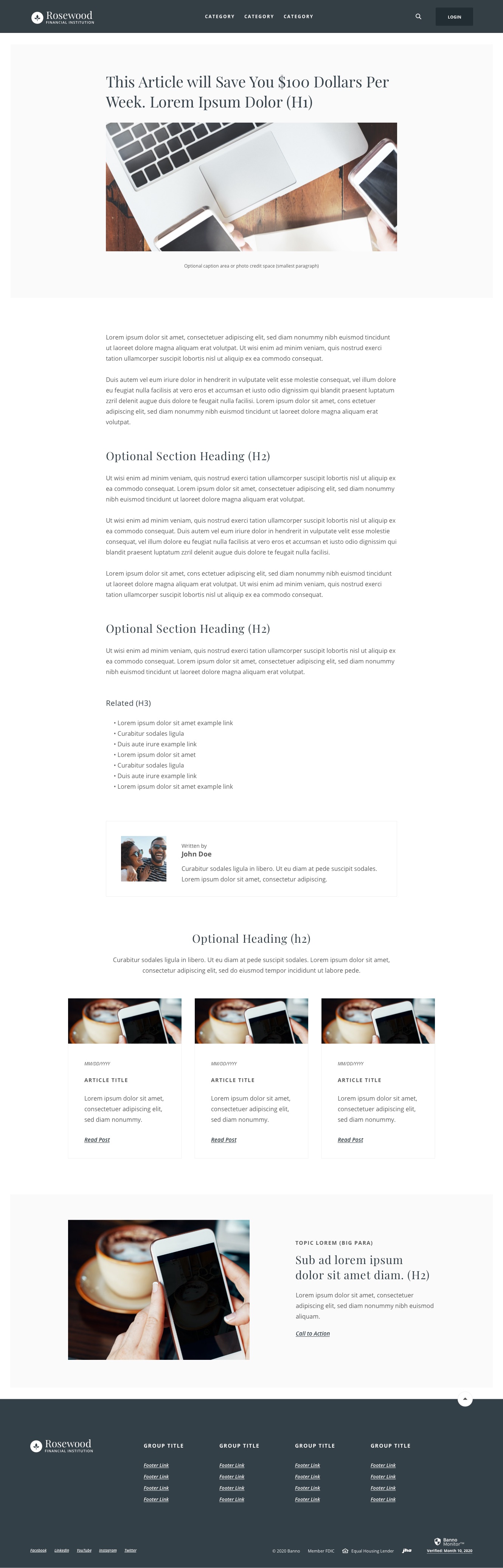
- For example, here’s what the Blog Component looks like in Rosewood: http://review.banno.com/rosewood/images/sub-blog.jpg http://review.banno.com/rosewood/images/sub-blog-article.jpg
- For example, here’s what the Blog Component looks like in Midnight: http://review.banno.com/midnight/images/sub-blog.jpg http://review.banno.com/midnight/images/sub-article.jpg
- For example, here’s what the Blog Component looks like in Cedar: http://review.banno.com/cedar/images/sub-blog.jpg http://review.banno.com/cedar/images/sub-article.jpg
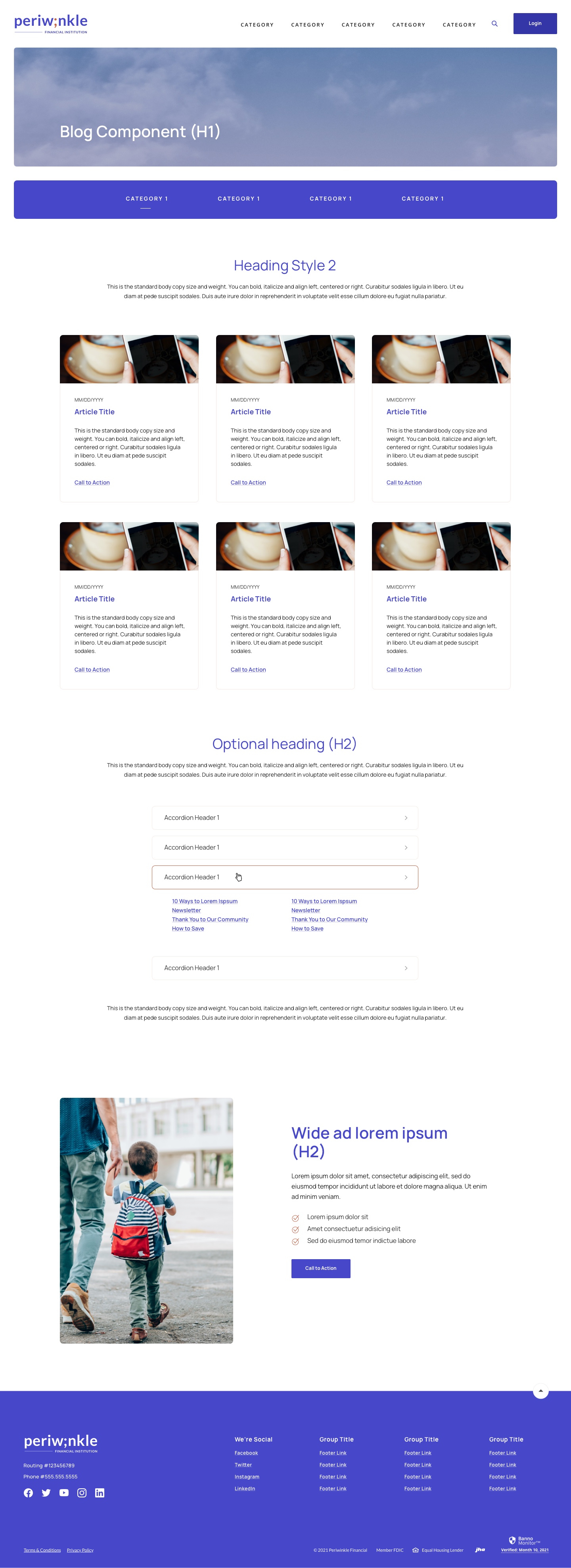
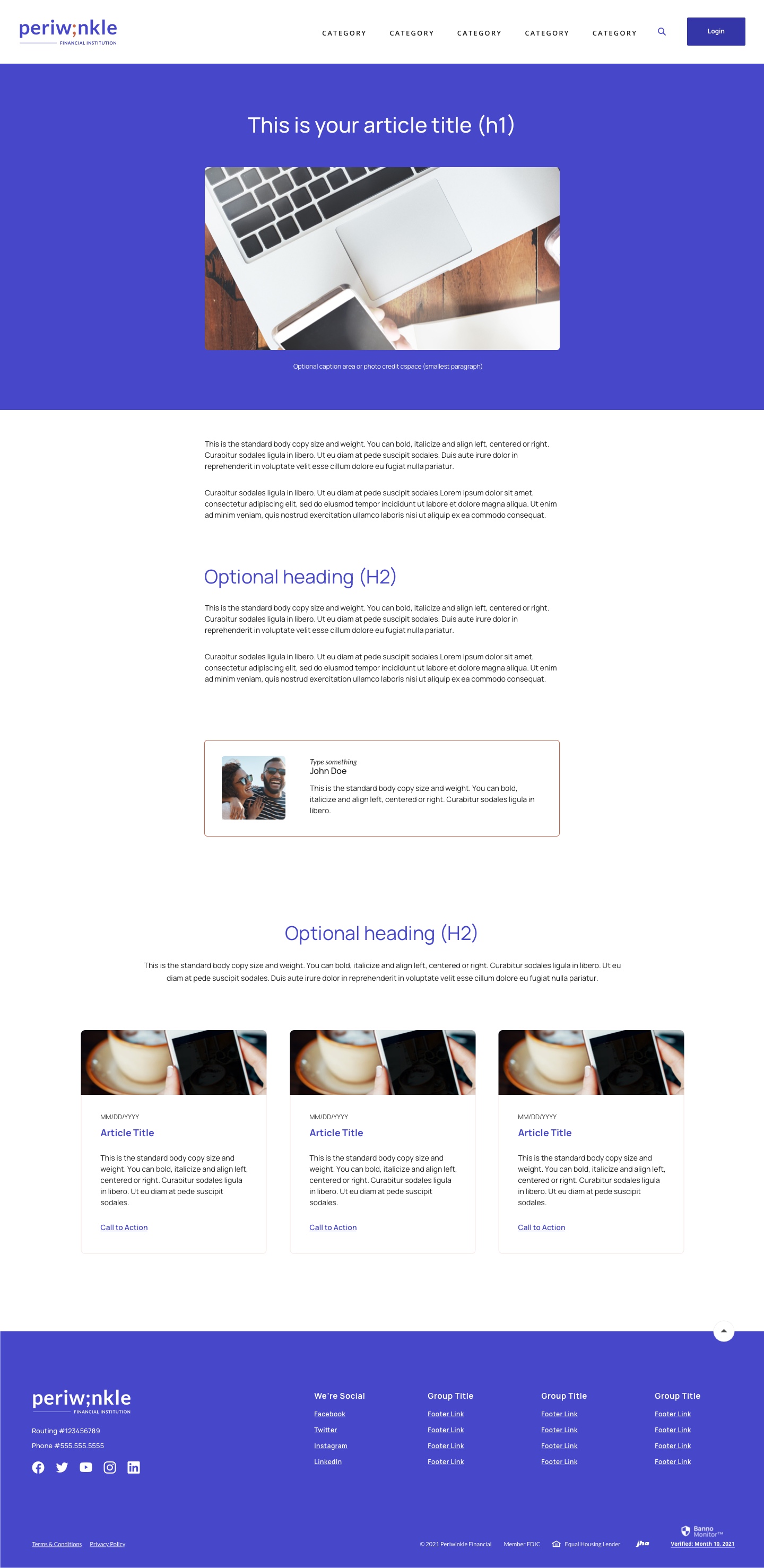
- For example, here’s what the Blog Component looks like in Periwinkle: http://review.banno.com/periwinkle/images/sub-blog.jpg http://review.banno.com/periwinkle/images/sub-article.jpg
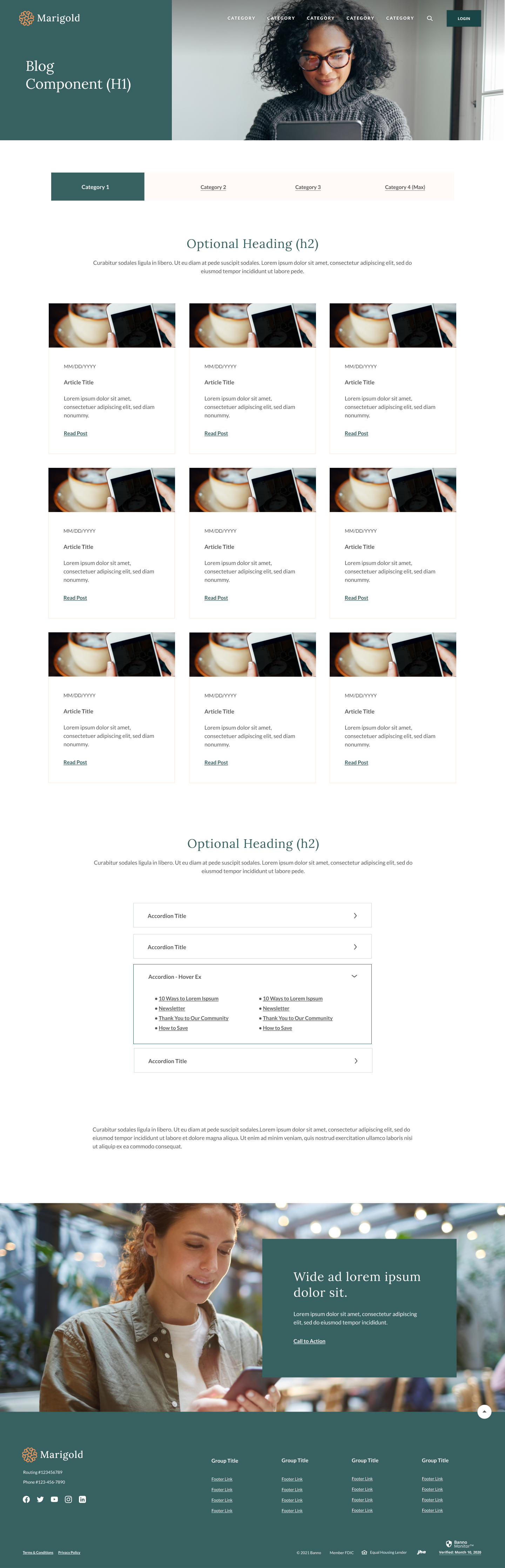
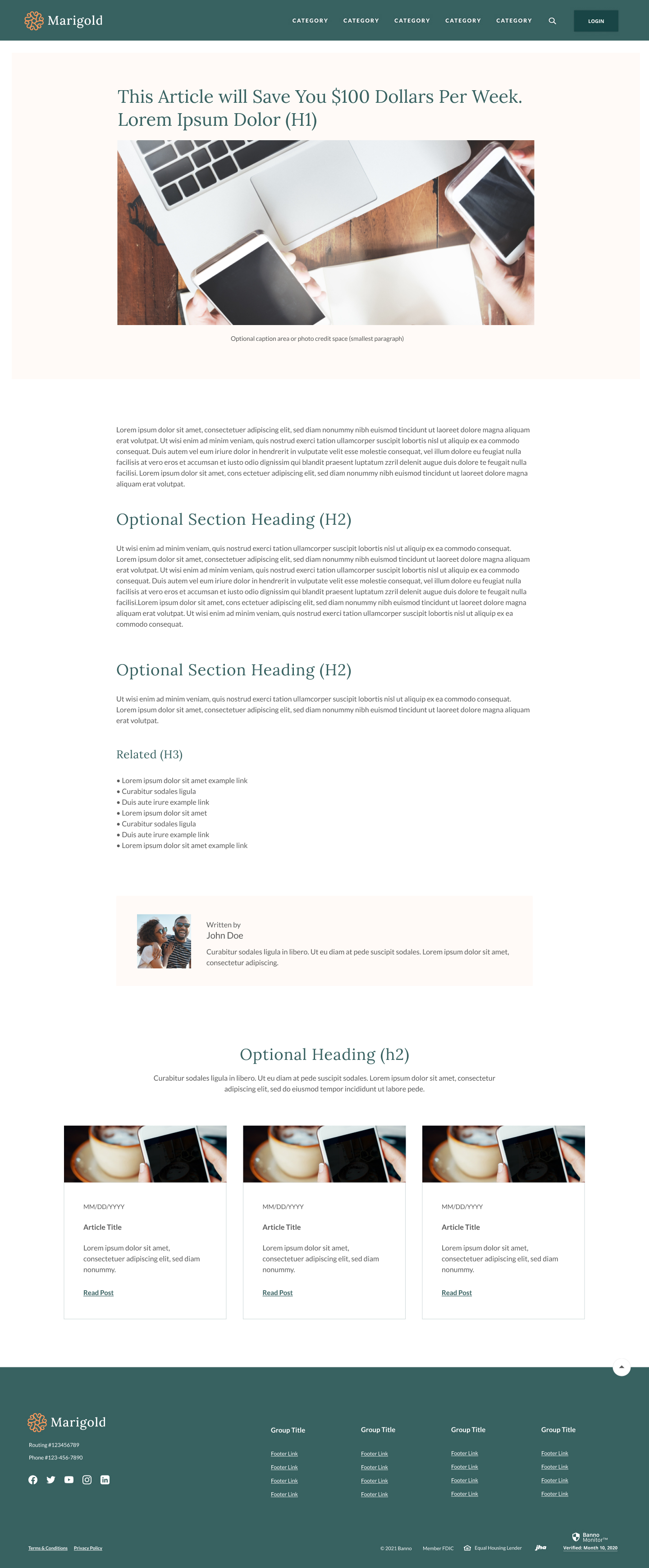
- For example, here’s what the Blog Component looks like in Marigold: http://review.banno.com/marigold/images/sub-blog.jpg http://review.banno.com/marigold/images/sub-article.jpg
- Comes with Articles Landing layout and Article layout. (Article layout is optional)
- Articles on Landing layout sort automatically by date, newest first
- Articles Landing has up to 4 editable tabs, empty ones hidden. Each tab has up to 9 boxes, empty ones hidden
- All content (images, text, and links to articles) is entered manually by the client into each Article box
- Article boxes sort by date automatically, most recent first
- Any other functionality (like keyword search or category sorting, for example) must be discussed/quoted
- No designer needed
- Dev turnaround time: Usual 5-7 business days
Option 3: All other sites that are not newer Showcase themed Alabaster through Marigold or Custom sites built with BS4 or up
- Layouts and functionality are custom and will need to be discussed/quoted
- If the client is not very clear about what they would like to have, this option may require a discovery call with a dev and a designer
- Dev turnaround time depends on scope
- A designer (one of ours, no third party) might need to do mockups depending on the scope
- Examples of more complex custom “Blogs” we have done on other sites:
- Simpler https://www.waynebankonline.com/learn/blogs-articles ; https://www.ccu.org/blog
- More complex (sorts by Most Recent, category sorting, Show More button) https://www.pfbt.com/insights
- Most complex (all kinds of custom sorting) https://www.incrediblebank.com/articles
*Note: We don’t do anything here at JHA that functions in an actual “Blog” type way, like a Wordpress blog for example. (That is due mostly to expense, and security reasons - Wordpress blogs are very easily hackable.) For example, we can’t do any kind of user interaction like “Leave a Comment.”
- New OLB code (from any provider other than Fiserv)
- 2-4 hours
- Calculators
- This is for the standard set of calculators. All current contracts come with this (for English at least), but if there is an old site/contract that does not have this listed or a client would like to add the Spanish set, here is the pricing:
- English - $2,500 (58 calculators https://alabaster.cms.banno-staging.com/calculators)
- Spanish - $1,250 (20 calculators https://www.highmarkfcu.com/calculator/calculators-financieras)
- This is for the standard set of calculators. All current contracts come with this (for English at least), but if there is an old site/contract that does not have this listed or a client would like to add the Spanish set, here is the pricing:
- Large Language Modals (LLMS)
- $500 flat fee
- 1 hour for additional changes
- Adding Dark mode - This can be done on custom sites only
- Discovery call and custom quote required
- Examples: