JHA help desk number: 877-846-5225
Expired Passwords
If a password expires, browse through the following sections to see how you can reset it.
Quick link: One of the most regularly reset passwords is your @jhacorp.com account, because it expires every 90 days.
EMAIL vs USERNAME
- Banno Platform; Marketing, People, Monitor, History, Reports, CMS require you to login with your
@jackhenery.comemail address. - Marathon, however, require a short form username. ie. Bullwinkle Moose’s email address is
bmoose@jackhenry.com, but the short form username isbmoose
Banno Platform and Banno LDAP
Also known as LDAP Used for www.banno.com/a/anything requires 2fa (Authy or SMS). There are 3 environments and an account is needed for each one: staging, UAT, and production.
How to Reset
Each environment has its own reset page now
Where it indicates username either your short form username or email address will work. ie. Bullwinkle Moose:
bmooseorbmoose@jackhenry.com.The password reset tool may indicate Your New password has already been published on leaks, you should consider changing it on any other service that is in use. We send a partial hash of your password to an API. It returns the hashes that match the partial, then we compare their full hash against your password hash. If a match is found you cannot use that password. Your password and its hash exists in a leaked password dictionary on the internet and is used by nefarious people in dark rooms with names like Neo or Morpheus to hack the Gibson and steal your cat pictures.

Your account will become temporarily locked out after 20 consecutive password failures. After 15 minutes your account will become unlocked for you to try logging in again (or to reset your password, in case you’ve forgotten it).
JHA Accounts
JHA managed accounts; “CORP” accounts JHA Helpdesk can help with. JHA almost always expects your short form bmoose or bmoose@jhacorp.com and NOT bmoose@jackhenry.com.
@jhacorp.com Account
Used for Teams, JHA email, Company Portal, JHDaily, Service Center, jSource, For Clients Portal, HCM (Payroll/Time), FSCM (travel/expense), JHA University, etc.
This expires every 90 days and some services require Okta login as well. Uses short form username; bmoose or bmoose@jhacorp.com and NOT bmoose@jackhenry.com. It is best to set a reminder every <= 89 days to login to BEP and do a password update. (See below for how.)
It is possible to be able to login to JH Daily, but for it to be locked out when you try to access HCM. The only remedy for this is calling Help Desk (number found at the top of this page).
Be aware that if Help Desk has changed your password you must wait 24 hours before you can change it using BEP or ResetMe as described below.
How to Reset
Via BEP
This will work on both internal and external network connections and only if it has been less than 90 days, at which point you will be locked out.
- Open an incognito window and go to https://bep.jackhenry.com/
- Enter your JHA username (no @jhacorp.com), current password, auth with Okta, check the Change Password box, then click Logon
- Enter your new password (max 32 characters, with optional characters being
!@#$%^&*()-_=+\|[]{};:/?.<>, as well as a blank space.), verify it, then click Logon
Via IdentityNow (Formerly Known As “ResetMe”)
If your password has expired (after 90 days), you will see access errors in Okta even if you use the correct password. To fix this and reset your password, you will need to follow this procedure. This will work on both internal and external network connections.
To use the reset portal, you must have:
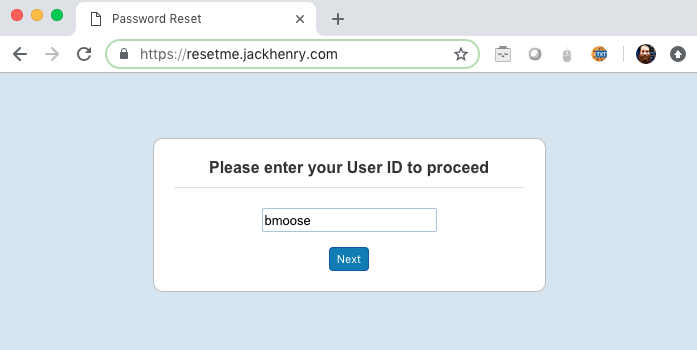
- Your short form username; if your email is bmoose@jackhenry.com you would use bmoose
- An SMS capable phone number set up in your JHA HCM profile
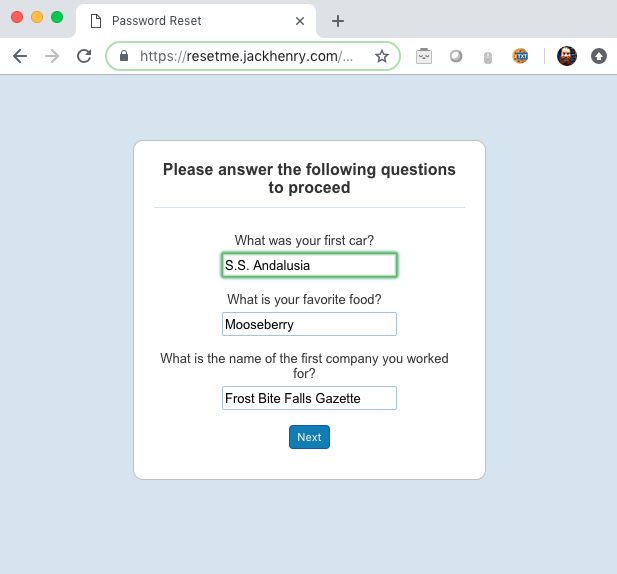
- Security questions set up in your JHA HCM profile
- Your employee ID number listed in your JHA Directory profile
Go to https://jackhenry.identitynow.com/passwordreset/ (Chrome preferred)
Enter your short form username
Answer your security questions
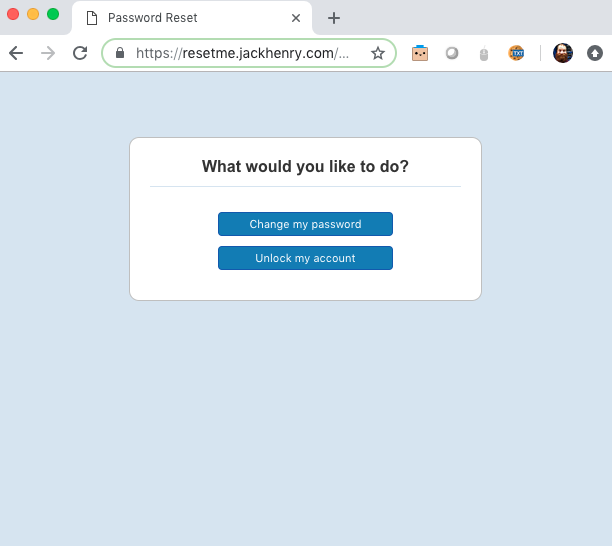
Choose to reset or unlock
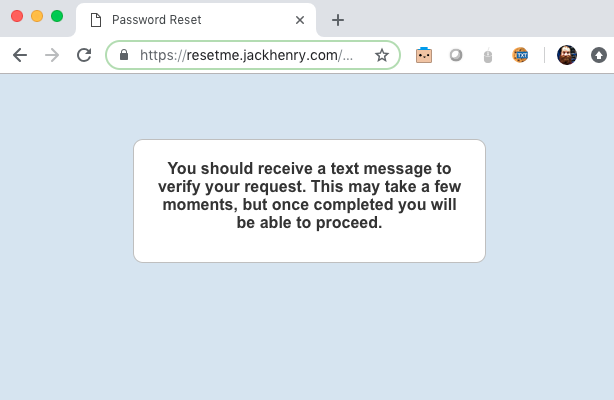
Wait for a text message and Leave this window open respond to text message with the included code+employee ID #.
Click Next
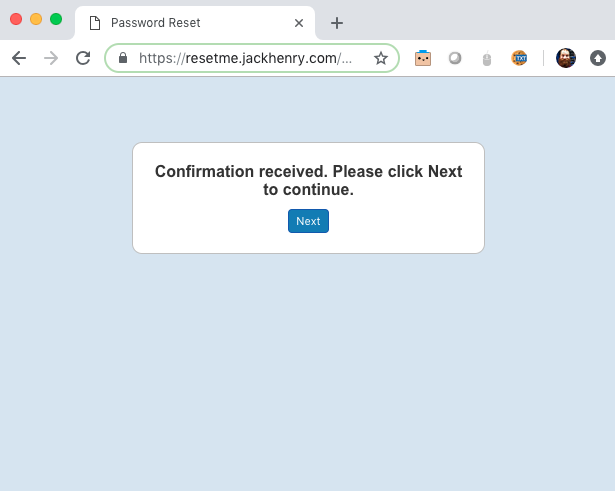
All done, you can close the window
Via Help Desk
Call the JHA Help Desk at 877-846-5225. If you go this route you won’t be able to reset it to a new password for 24hrs.
Okta
Okta is a Single-sign-on (sso),multi-factor authentication tool used in conjunction with your JH account(s).
For more information on Okta and how to set it up please see this page
How to Reset
Ground Control doesn’t have any access to this system so if you need any of the following, please call the JH Help Desk at 877-846-5225.
VPN
Uses your @jhacorp.com short form username, bmoose or bmoose@jhacorp.com, and Okta OTP(one time password/pin).
How to Reset
Use @jhacorp.com reset steps.
@jkhy.com Account
Infrastructure teams also use @jkhy.com accounts. They expire every 90 days and can be requested for members of those teams through service center.
How to Reset
https://passwordreset.jkhy.com or JHA Helpdesk 877-846-5225