While much of our team’s structure can be found via JHAToday’s user directory, several of our teams are large enough to require dividing by projects and features. As these teams are somewhat flexible, they won’t be reflected in the JHA Directory. We instead use Slack as the canonical guide to our teams. Through Slack’s interface, you can view all groups, see what projects they are in charge of, and their membership. This is the quickest way to find who to ping if you have a specific issue.
The User Group list can be found by clicking the More Items button in the upper right corner of your client and clicking User Groups. As some groups handle a large variety of projects and features, the name selected by the team may not reflect the projects they work on. As such, all teams will have the projects they are responsible for listed beneath their names. The proper format for a User Group looks like this:
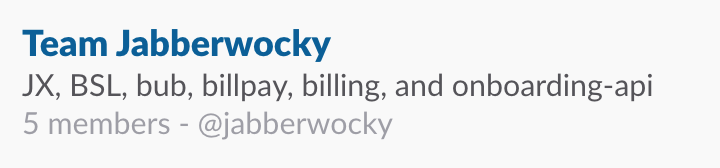
Clicking the group will allow you to view the team members and any channels associated with that team. It is the responsibility of each team to upkeep their User Group with both members and associated channels.
These teams are also reflected in our GitHub teams page and are pingable on pull requests, issues, commits, etc as needed.