macOS Patch Management
At Jack Henry Digital we believe that the best way to keep our Macs secure is to always run the latest version of macOS.
To this end, all macOS security patches will be made available immediately and must be installed within a specific time window. This widow is determined by the Ground Control team on a case-by-case basis depending on the severity of any vulnerabilities the update patches.
Update Reminders
When there is an update required for your device, the following window will appear every 30 minutes - on the hour and half-past the hour (you may control this behavior by selecting different defer options).
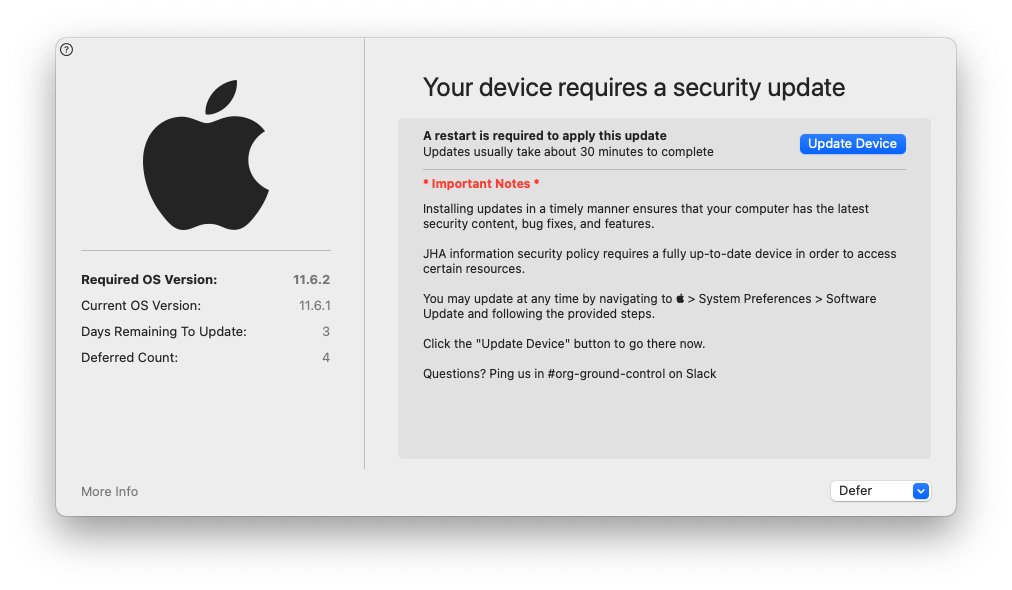
Note the left side of the window gives you information such as the Required OS Version and the number of Days Remaining To Update, as well as a More Info button that leads to the Apple article detailing what has changed in this update.
The right side of the window has some important notes regarding JH Policy and the macOS update process.
There are 2 main buttons on the interface.
- The Update Device button links to the software update section of System Preferences where you can install updates.
- The Defer dropdown allows you a few options to dismiss the window and defer the update until a later time.
Reminder Escalation
As the deadline approaches, notifications become more pushy.
When you have only 3 days remaining to update, the window will no longer offer defer options by default. You must first click an I understand button before the defer button will appear.
On the last day there will be no options to defer. The window will remain present and you are unable to close it.
Once the deadline has passed, all windows are minimized except for the reminder window and the software update section of System Preferences until the required update is applied.
Hidden Updates
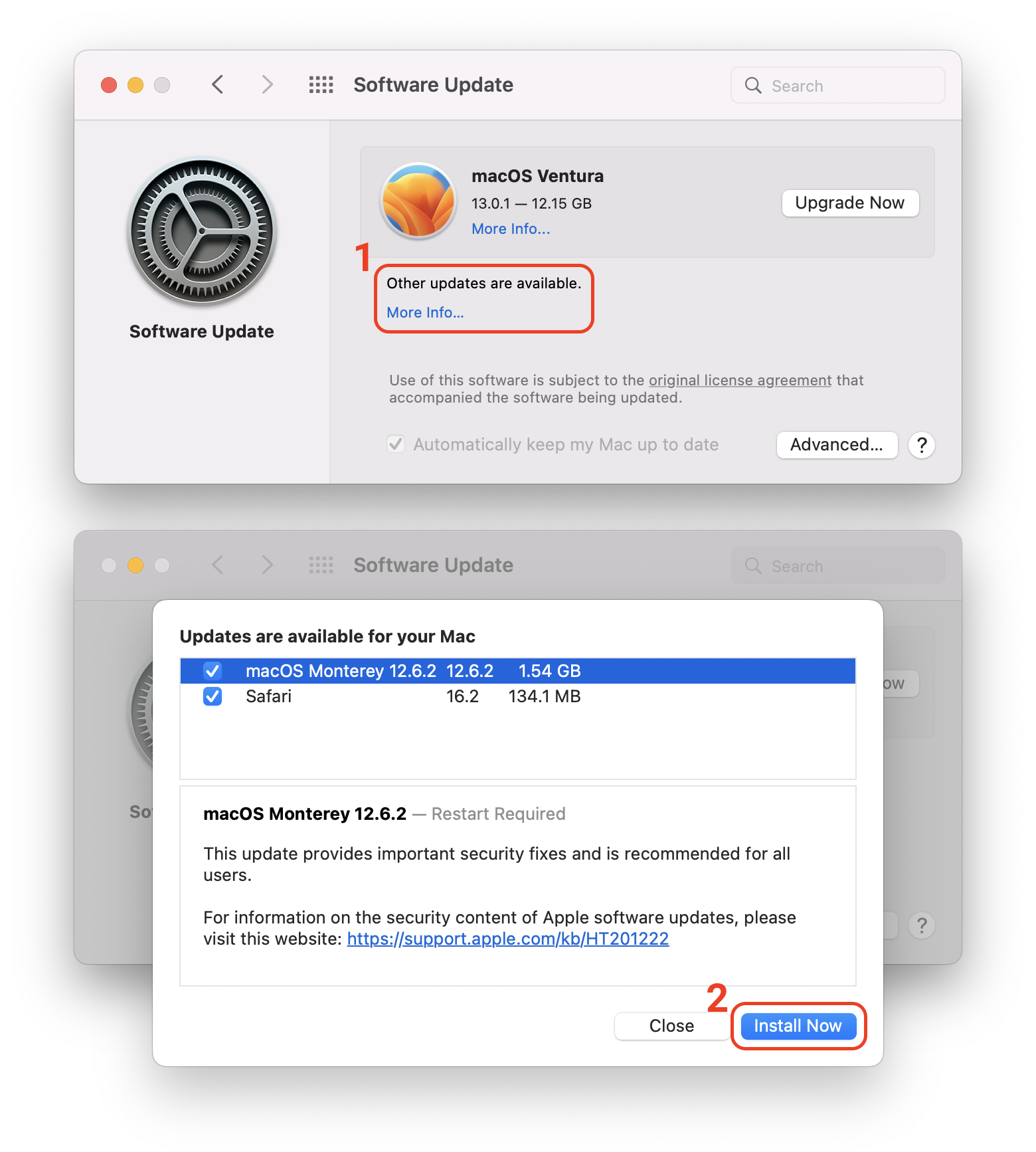
Apple will often hide minor updates behind a “More Info” link in System Preferences if there is a newer major version of macOS available. You may be required to click the More Info button to surface the required minor update instead of the major upgrade.